
Home and the Ask box
Home is the starting page. It has the Ask box, four status cards and your favorites.
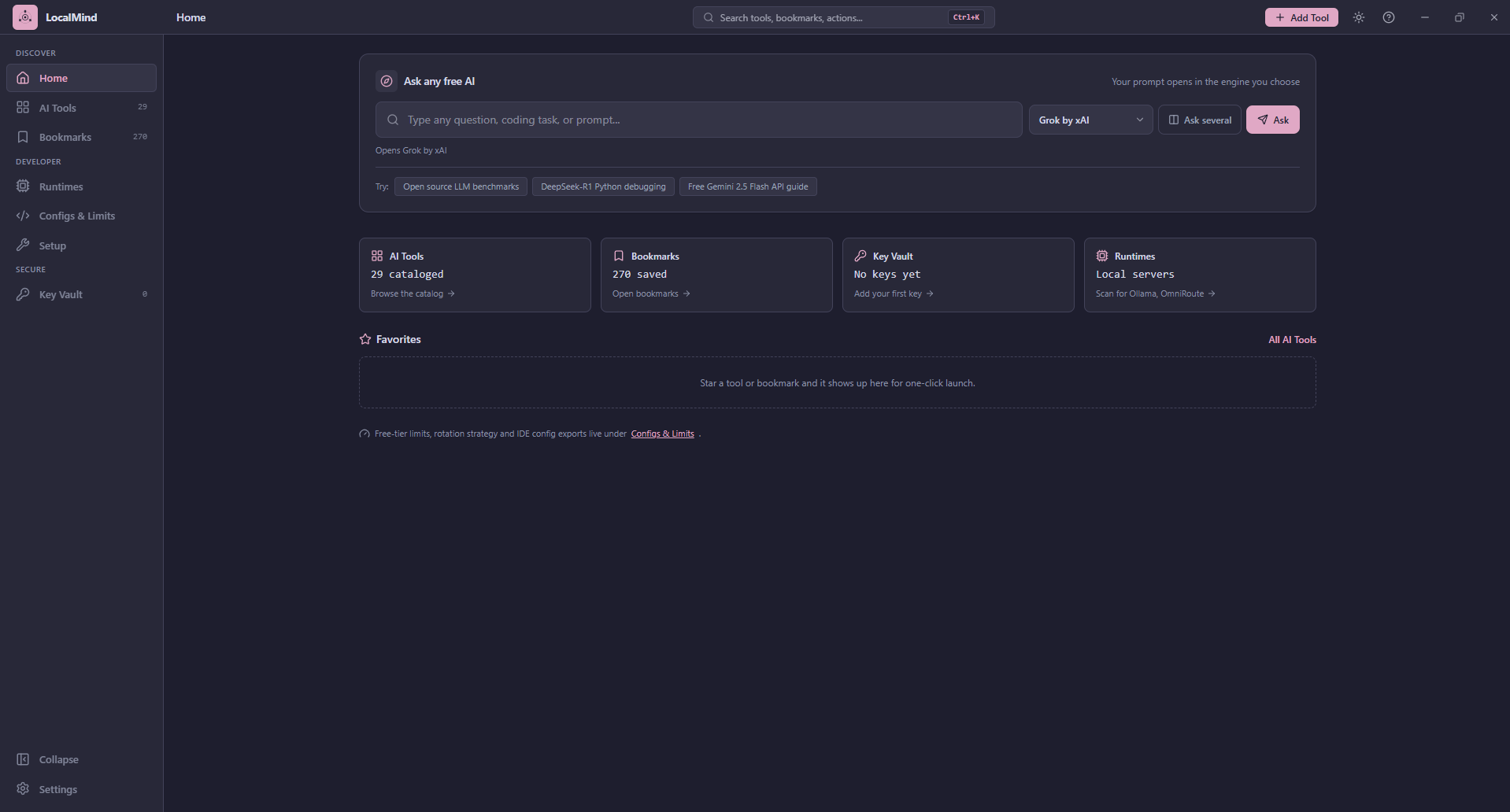
The Ask box
Type a question or prompt and press Ask (or Enter). LocalMind opens it in the AI chatbot shown in the engine picker, in your default browser.
- Pick the engine with the dropdown beside the box. The list comes from the web chatbots in the AI Tools catalog, with your favorites first. Your choice is remembered.
- A line under the box says what will happen: either prompt prefilled or prompt copied, paste it.
- The Try chips fill the box with an example. They do not send anything until you press Ask.
Prefilled or copied
Some chatbots accept a prompt in the link, so your text appears ready to send. Others do not. For those, LocalMind copies your prompt to the clipboard and opens the site, and tells you to paste it with Ctrl+V. This is shown before you press Ask, so nothing is a surprise.
Ask several
Press Ask several to send the same prompt to up to five AIs. Tick the ones you want and the button changes to Ask N AIs. LocalMind remembers your set.
This opens each AI in your browser. It cannot gather the answers into one place, because web chatbots require you to be signed in on their own site and offer no way to read their replies. If some of the AIs you pick cannot take a prompt from a link, LocalMind copies the prompt once and names those sites in a note.
The status cards
| Card | Shows |
|---|---|
| AI Tools | How many tools are cataloged. Click to browse |
| Bookmarks | How many bookmarks you have saved |
| Key Vault | How many keys you have, and how many are unverified |
| Runtimes | A shortcut to scan for local servers such as Ollama |
Favorites
Star a tool or bookmark anywhere in the app and it appears here for one-click launch. Until you star something, this area says so.